Made-to-order, made simple
How to order
Follow the V2 checkout from product selection to payment and order confirmation.- 1Choose
- 2Cart
- 3Details
- 4Review
- 5Payment
Before you beginPlease read our Terms & conditions, Shipping Policy, Returns Policy and measurement guidance before placing a made-to-order costume order.
Choose and customise your product
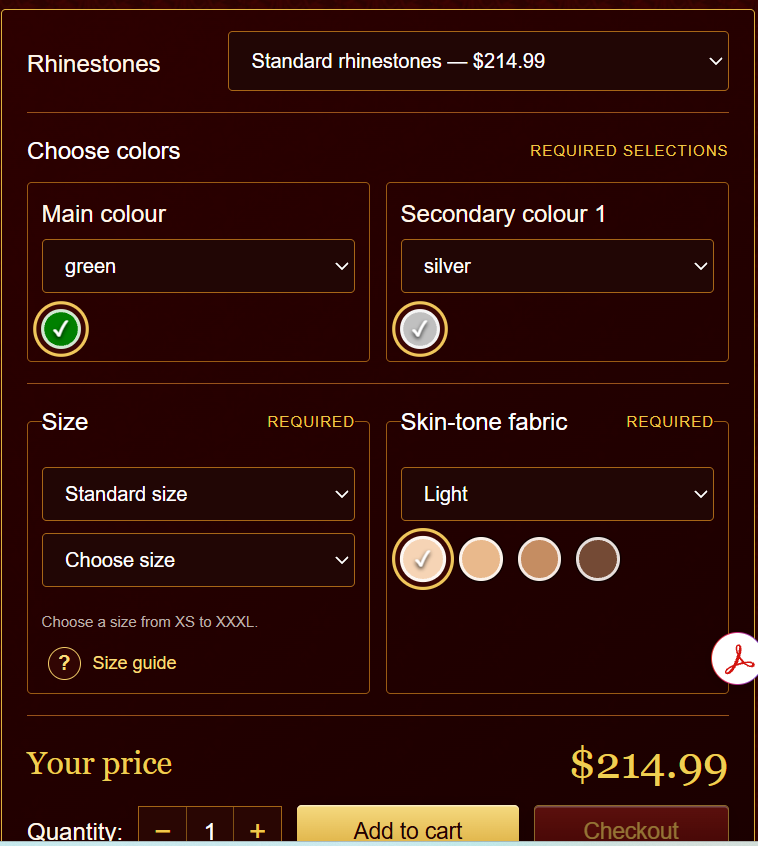
Open the product you want and review its photographs, description and made-to-order information. Select every required option shown on the product page, including rhinestone quality, main and secondary colours, size, skin-tone fabric and quantity.
- The displayed price changes when a priced option is selected.
- Choose Add to cart to continue shopping or Checkout to go directly to your order.
- Your selected options are carried safely into the cart and checkout.
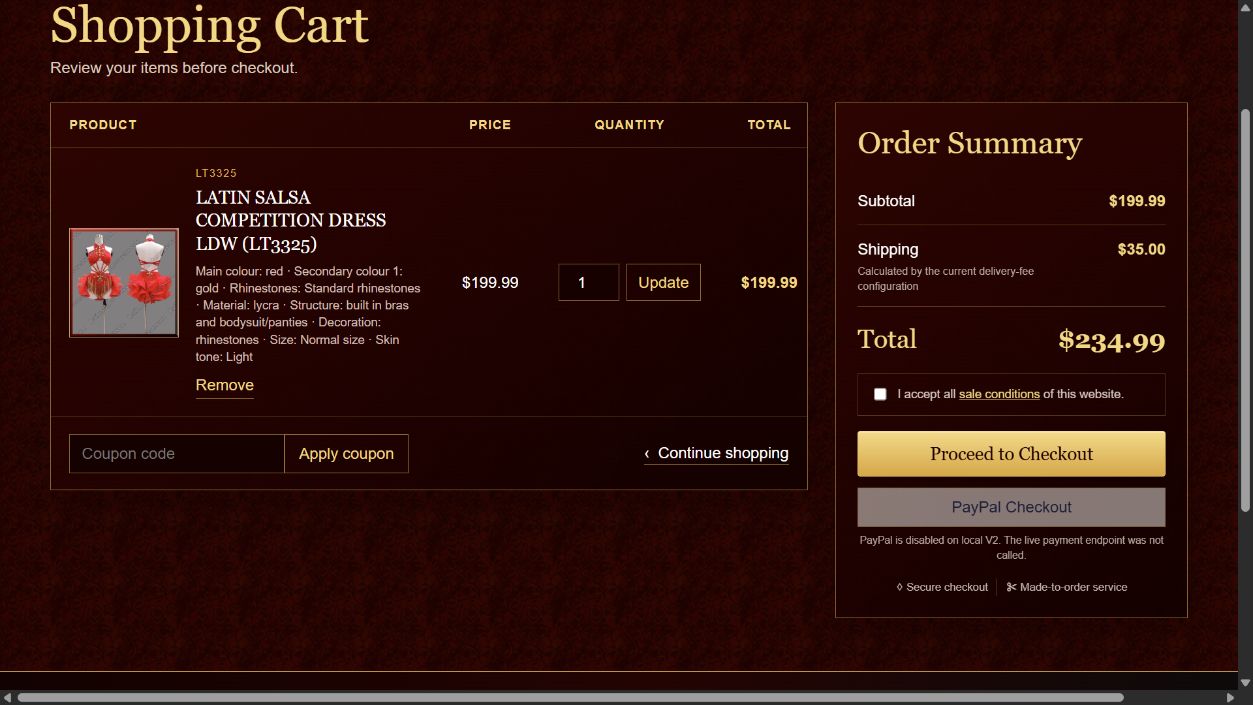
Review your shopping cart
Open your Bag and verify each product, selected options, quantity and price. You can update the quantity, remove an item or apply a valid coupon before checkout.
- Check the merchandise, shipping and total amounts in the Order Summary.
- Read and accept the sale conditions.
- Select Proceed to Checkout when the cart is correct.
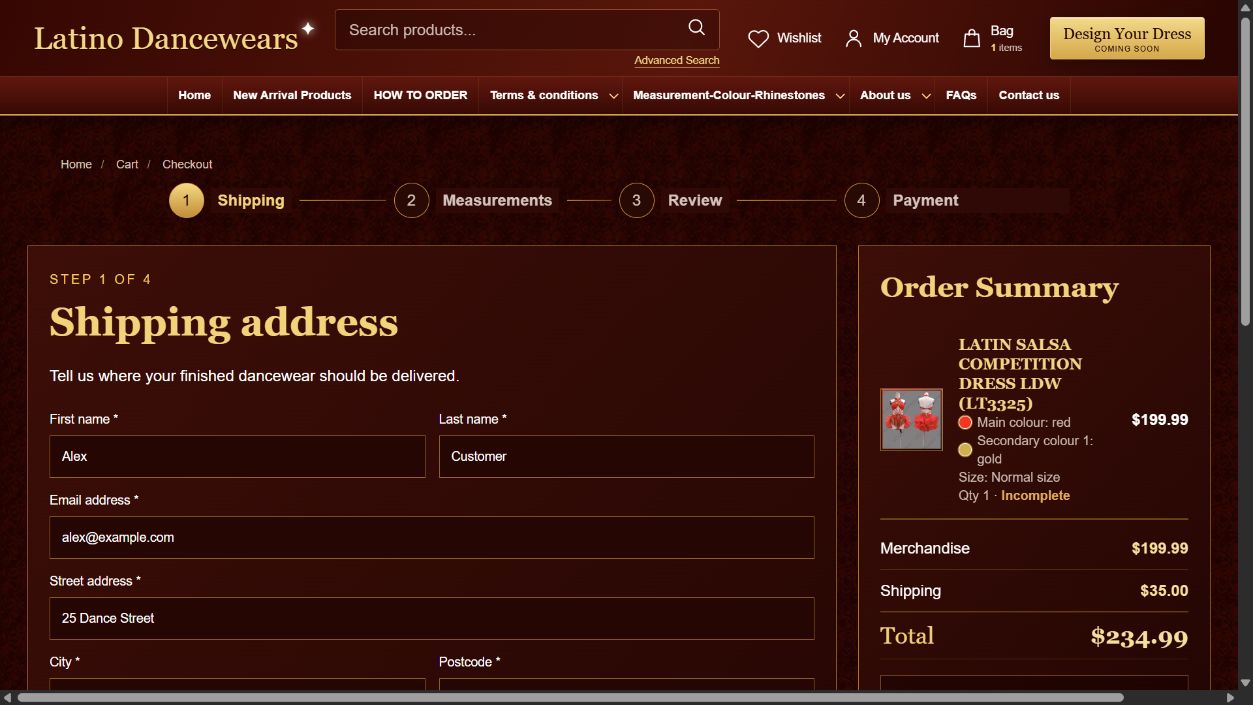
Enter your shipping details
Complete the delivery form with the recipient name, email address, street address, city, postcode, phone number, country and state or province. Add the date needed when you have a performance deadline.
- Use an email address and phone number that you check regularly.
- Select the correct country and subdivision so that shipping is calculated correctly.
- Registered customers may use a compatible saved address when available.
Complete options and measurements
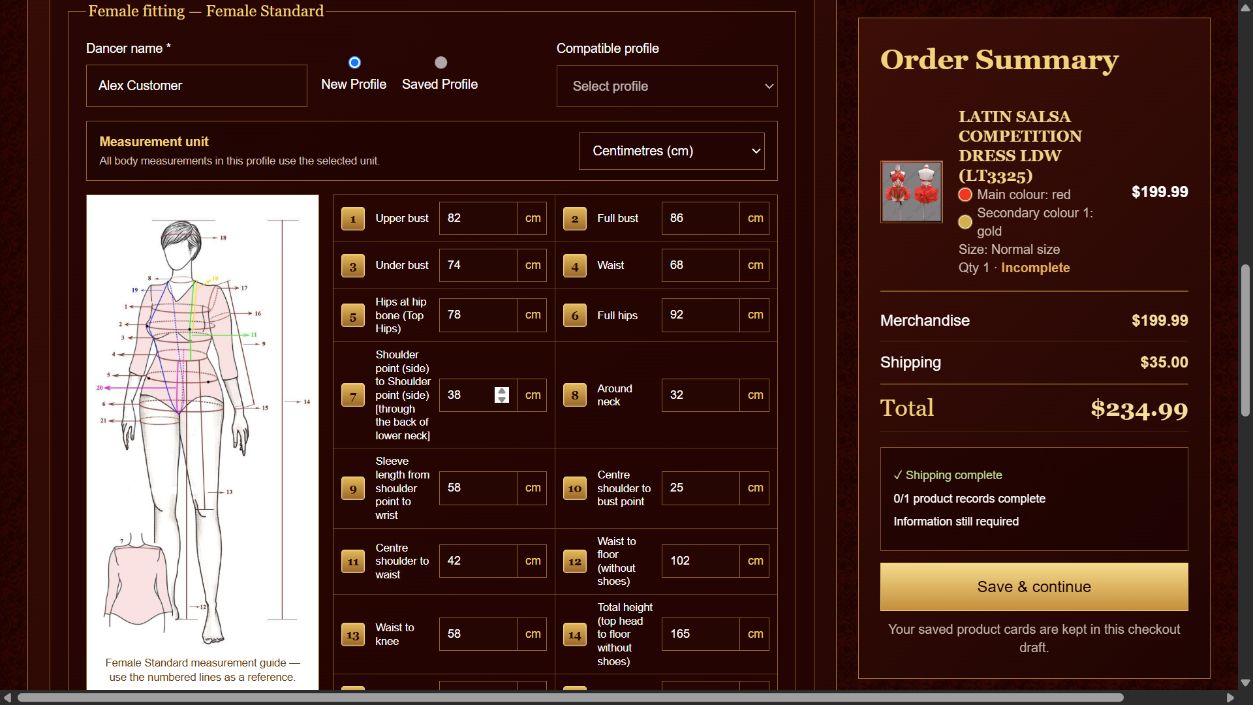
Open every garment card in the Measurements step. Confirm the product options and size, enter the dancer name, then create a new measurement profile or use a compatible saved profile.
- Choose centimetres or inches before entering the measurements.
- Follow the numbered measurement guide and complete every required field.
- Junior garments use the appropriate female or male measurement profile.
- For step-by-step guidance, see How to take correct measurements.
Pay now, measure later: You may complete checkout and pay for your order before providing measurements. Afterwards, sign in to My Account, open My Orders and select Complete measurements for the relevant item. Production begins after all required measurements and order details have been received.
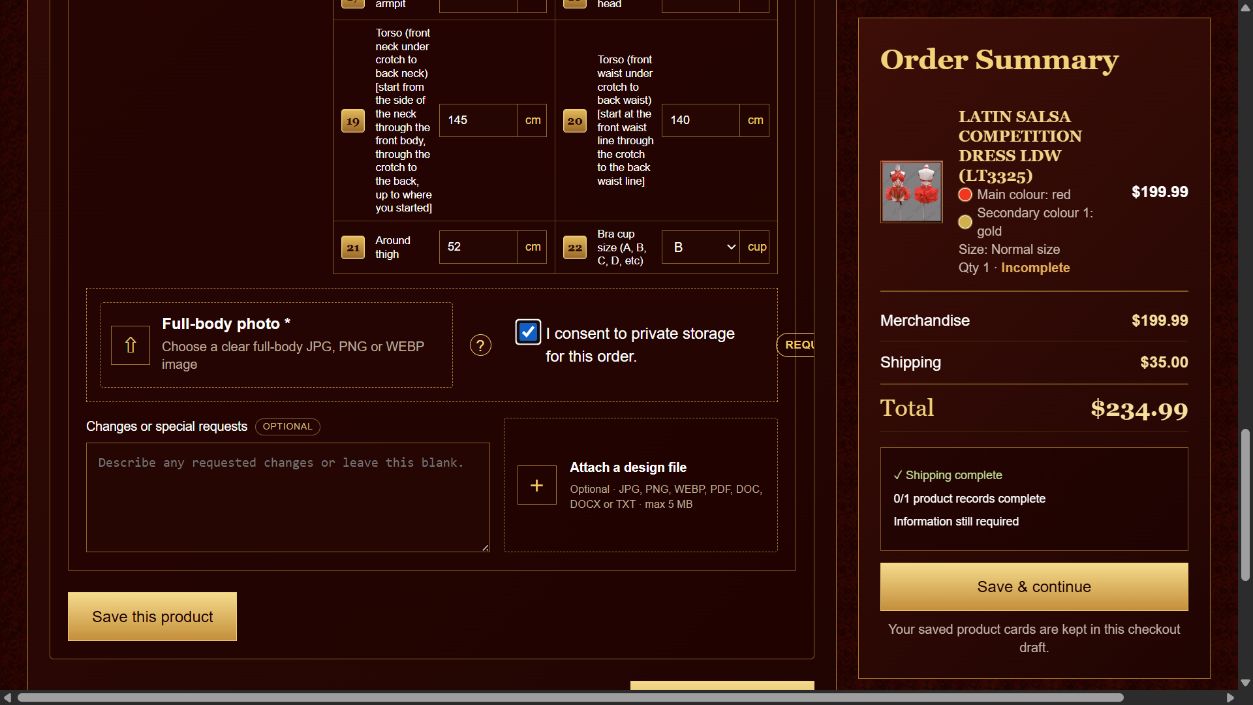
For made-to-order garments, upload a clear full-body photograph and approve private storage for the order. Changes and special requests are optional. You may also attach a JPG, PNG, WEBP, PDF, DOC, DOCX or TXT design file up to 5 MB.
Review and confirm your order
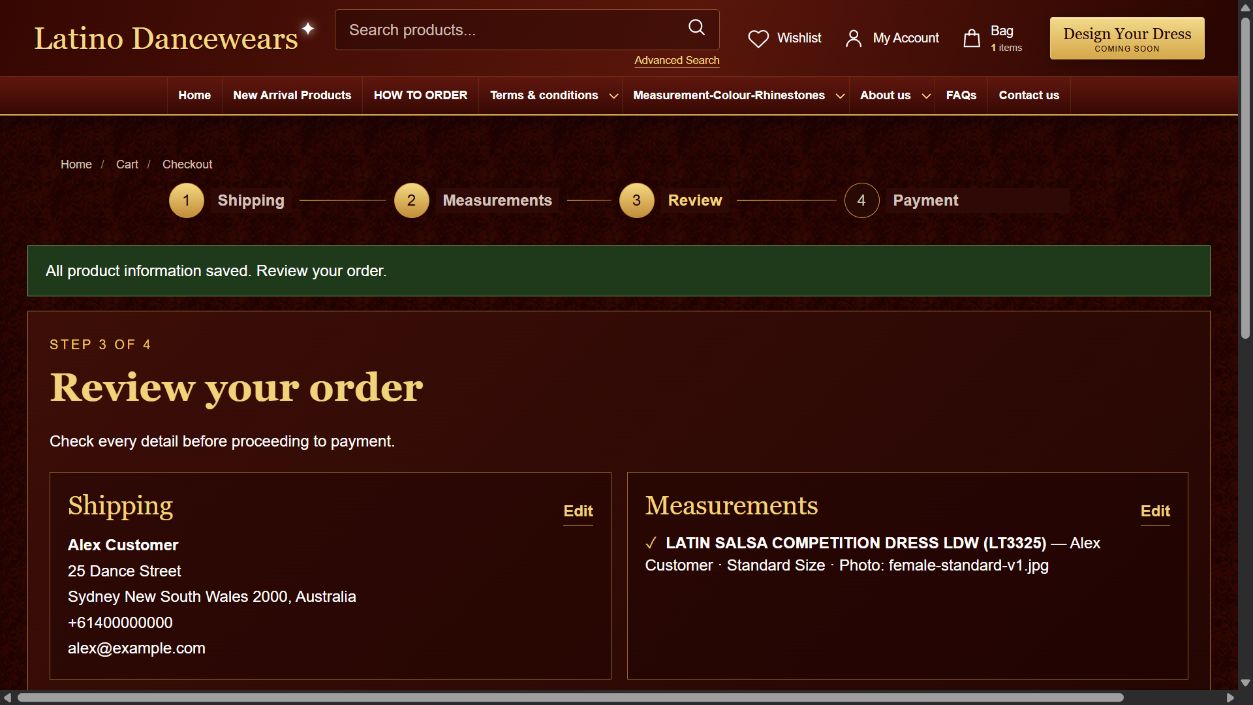
After every product card is complete, continue to Review. Check the shipping address, product options, measurements, uploaded photo or design filename, quantity and final totals.
- Use the Edit controls if any information needs to be corrected.
- Confirm that the shipping address, options and measurements are accurate.
- Select Continue to payment only when the complete order is correct.
Payment and order confirmation
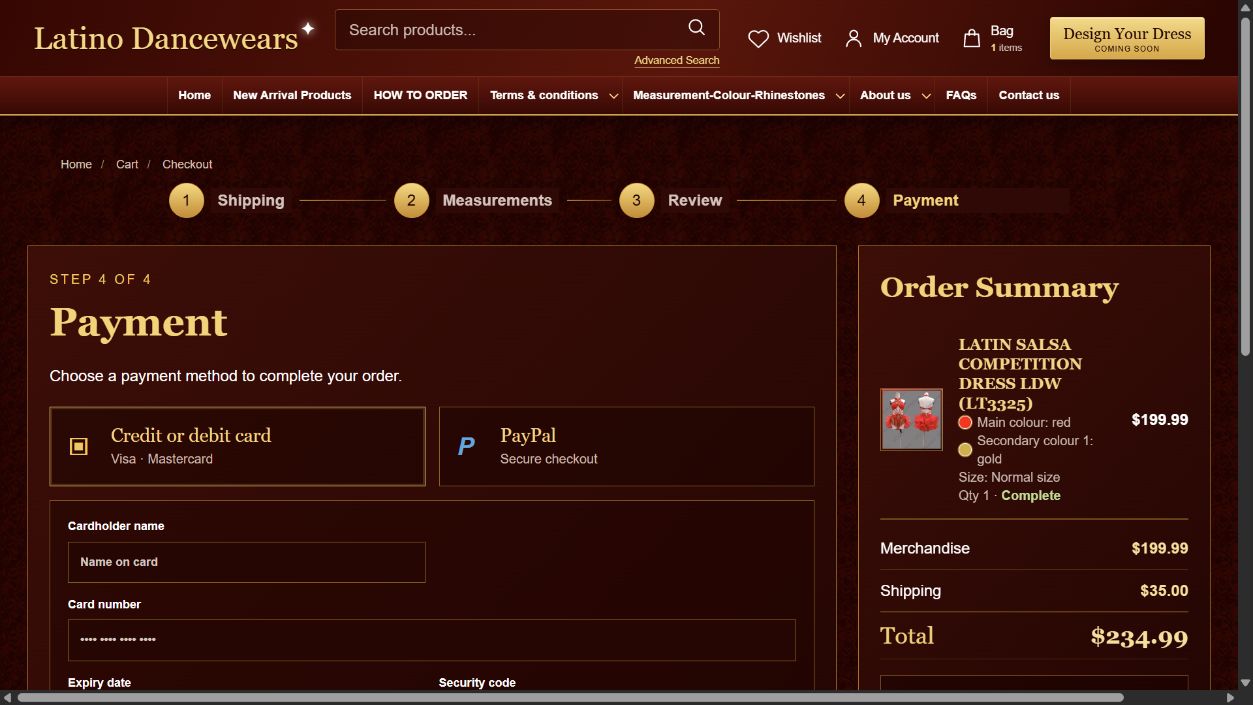
At the final step, choose an available payment method and follow the secure payment instructions. Available methods may include credit or debit card and PayPal when they are enabled for checkout.
Important payment noticeDo not refresh or close the payment page while a transaction is being processed.
- After a successful payment, keep the order number shown on the confirmation page.
- Your V2 options, measurements, body photo consent and special requests are submitted with the order; a separate order-form email is not normally required.
- Your order details will be saved in My Account. A confirmation will also be sent to the email address used for this order.
- If you do not receive confirmation or need to correct an order, please contact us and include your order number.